
GravityView Dashboard Views v2.0.5
GravityView - Dashboard Views Extension The Dashboard Views extension for GravityView enables you to embed Views directly inside your WordPress admin dashboard.
Same brand
More from Gravity View
Gravity View - Powerful Gravity Forms Addons
by Katz Web Services
The best way to display Gravity Forms entries on your website GravityView is the best way to display Gravity Forms entries on your website.
Magic Links For GravityView
by Bernt Jacobsen Standal
GravityView - Magic Links Extension The Magic Links extension for GravityView enables users to update their Gravity Forms entries through secure, time-limited links sent by email - no login required.
GravityBoard - Kanban Boards For Gravity Forms
by Bernt Jacobsen Standal
Powerful workflow visualization The future of task management has arrived with GravityBoard, a Trello-style productivity add-on for Gravity Forms that enables you to create smart kanban boards from...
Related items
Related Gravity Forms Plugins
Spellbook - Gravity Forms Addons Manager
by Gravity Perks
Effortlessly install and manage small functionality enhancements (aka “perks”) for Gravity Forms.
Gravity Forms User Registration Addon
by Rocketgenius
Allows WordPress users to be automatically created upon submitting a Gravity Form.
Gravity Perks Populate Anything
by Gravity Perks
Dynamically filter and populate field choices and values with posts, users, taxonomies, terms, Gravity Forms entries, and databases. Pretty much anything!
 GravityView – Dashboard Views Extension The Dashboard Views extension for GravityView enables you to embed Views directly inside your WordPress admin dashboard.
 Version Last updated on July 8, 2024 Reviews & Ratings You must log in to submit a review. 5 stars4 stars3 stars2 stars1 star Based on 0 ratings Changelog Bring your Views into the WordPress admin Dashboard Views lets your team access and interact with GravityView Views directly inside the WordPress dashboard. Keep workflows internal, streamline daily operations, and give staff a secure way to review, filter, and manage data.
Access mission-critical Views from a dedicated admin menu Consolidate data management inside WordPress for smoother workflows Keep teams focused with a clean, centralized workspace 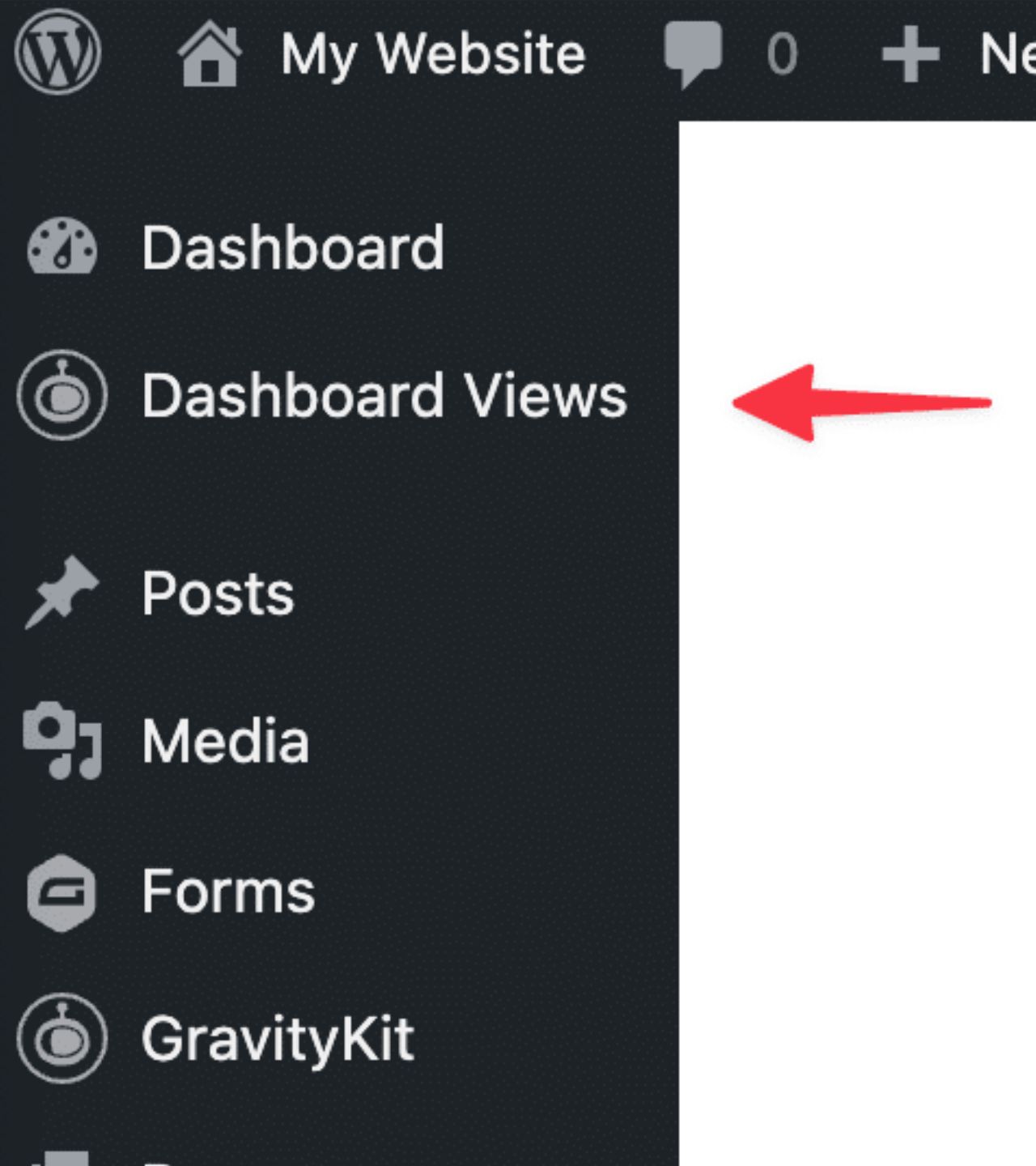
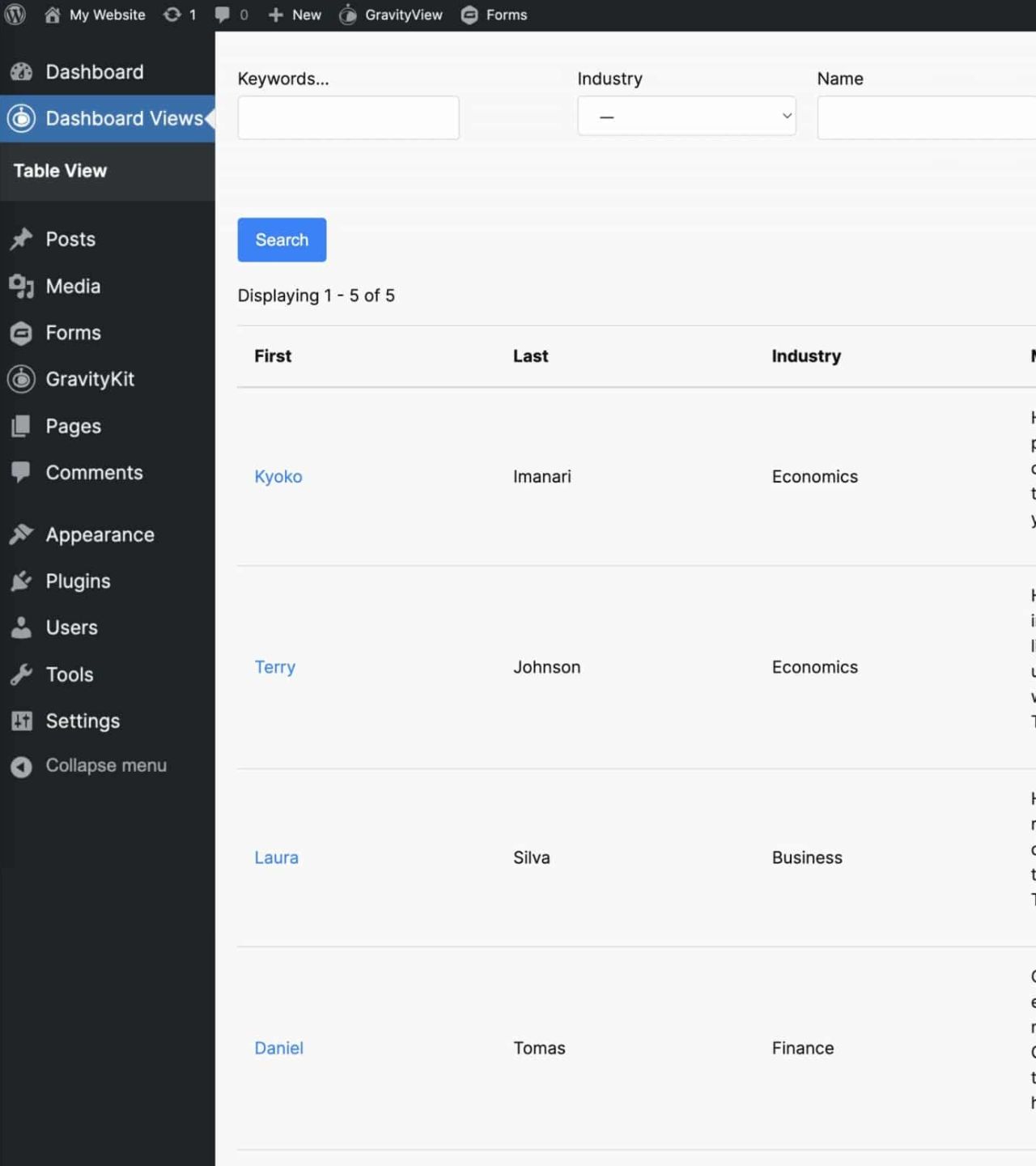 Control access and customize your internal Views Lock down Views for internal use, restrict access by role, and tailor the dashboard experience to match your team’s needs. From menu labels to stylesheet presets, Dashboard Views gives you full control over how internal data screens look, behave, and stay secure. Keep Views private with internal-only mode and role-based access.
Customize menu text, styling, and settings for each View. Maintain consistent, secure workflows across teams and projects.  Plugin Guide
  Documentation
  Watch Video
  Try a Demo Trusted by thousands of businesses and developers across the universe

 Not only does GravityKit have excellent support with fast response times, they continually add a lot of new features to their products. See what people are saying.
GravityKit is trusted by developers, nonprofits, web agencies, entrepreneurs, and experienced WordPress users. “Any apps that require you to create, read, update, or delete data can be built using Gravity Forms and GravityKit—you can literally throw together an MVP within a day!” “Prior to discovering GravityKit, I had to hire developers, or build solutions that could take months. Then I would have to maintain that custom code for years. GravityKit allows me to focus on getting results today.” “GravityKit is absolutely an essential plugin for our business.
Show full descriptionShow less
It gives us the ability to quickly and easily deliver effective and efficient web tools to our clients to meet their unique needs.” “GravityKit has enabled me to get creative across a variety of websites, building powerful features without the need for custom PHP or complex coding. It’s saved me significant development time.” “When we wanted to implement a certain feature, there was always a GravityKit plugin that did what we needed. It’s been a delightful experience!
Instead of needing to write custom code for things we want, we are able to leverage the power of the Gravity Forms ecosystem.” “I really like what you’re doing with Gravity Forms stuff. Your tools have helped me build better tools and improved functionality for my clients. Big fan!” Simple pricing. Infinite possibilities. GravityKit is trusted by agencies, nonprofits, developers, and WordPress users all over the world.
Save $131.99 All Access Pass For builders needing our full suite of functionality. Original price $396 Sale price $264.01 first year Our complete Kit of essential tools for extending and enhancing Gravity Forms—everything you need to build powerful web apps and workflows. All GravityKit Add-Ons All GravityView Layouts & Extensions Perfect for heavy Gravity Forms users Priority support via email Save $713 (65%) vs. buying separately Save $66.33 GravityView Pro One plugin Original price $199 Sale price $132.67 first year Take GravityView to the next level with all premium Layouts, Extensions, and advanced functionality in one package.
All premium GravityView Layouts and Extensions Build web apps using drag and drop Edit entries from the front end Advanced Elementor integration Powerful search and filtering  We proudly offer a 30-day money-back guarantee We want you to be 100% happy with your purchase, or we’ll make it right. Got questions? Ask away! Got a question about the GravityView – Dashboard Views Extension or any other GravityKit plugin?
Our AI assistant can help you find answers instantly.  Ready to get started? Unlock the full power of GravityView. You will love our other Gravity Forms add-ons, too.










 Have more questions? Here are a few common questions that help explain what is possible with the power of GravityKit. You must log in to submit a review.
Recent releases
Release history
- #### 🐛 Fixed
- Dashboard Views admin pages requested a malformed stylesheet URL, which produced a console error on every screen.
- GravityView hooks remained in use.
View changelog
View changelog
Frequently asked questions
Is GravityView Dashboard Views GPL licensed?
What is the latest version of GravityView Dashboard Views?
How much does GravityView Dashboard Views cost on GPLCoffee?
Which WordPress versions does GravityView Dashboard Views support?
Is GravityView Dashboard Views safe to download?
Auto-updates included
Install it once, update automatically.
The GPLC Connector installs this plugin from your wp-admin and rolls out new versions to your connected sites. Included with every membership plan: 10 to 40 connected sites depending on the plan (Lite 10, Pro 20, Geek and Lifetime 40).