
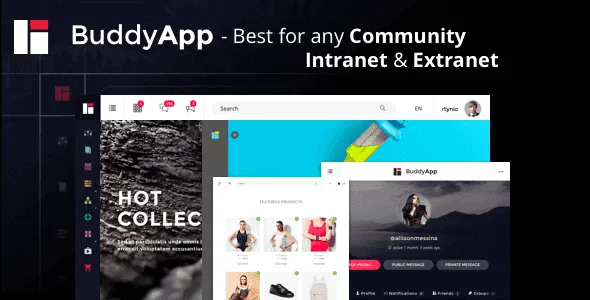
Buddyapp v2.0.0 - Mobile First Community WordPress Theme
Meet BuddyApp WordPress Theme , best for any kind of Private or Public community, Intranet or Extranet websites.
- Installable theme file· v1.9.2
- Child theme
- Bundled plugins· 3
- Demo content· 3
- Documentation· 1
- Multiple builds· 2
From $5.99 / year
Related items
Related Buddypress Themes
Aardvark - BuddyPress, Membership & Community Theme
by GhostPool
Aardvark is a complete community focussed WordPress theme.
Woffice - Intranet/Extranet WordPress Theme
by Alkaweb
Woffice is a feature rich, powerful Multipurpose Intranet WordPress theme.
Monarch - Innovative WordPress Community Theme
by ThemeKitten
Monarch is a clean, professional and modern next generation WordPress & BuddyPress Theme that is best suitable for online community , social networks, team blogs, social sites, educational networks...

Meet BuddyApp WordPress Theme, best for any kind of Private or Public community, Intranet or Extranet websites. With a Creative design and built with Mobile first approach it is a theme that allows you to build a site that stands out from the crowd.
BuddyApp is mobile optimized, easy to use on any device (Manage your projects and teams on the go). BuddyApp helps you run any kind of social network on your WordPress, with member profiles, activity streams, user groups, messaging and more.
BuddyApp WordPress Theme Features
- Live Site Customizer – Design your site while you preview the changes
- Drag & Drop builder – Visual composer included
- Great mobile experience with Mobile first design approach
- Woocommerce integration
- Unlimited colors – You can choose to style individually the Header, Sidemenu and the content body
- 1 Click full demo content. Install posts, widgets, menus
- Retina ready – Icon fonts included
- 600+ Google Fonts to to choose from on headings and text
- Child Theme included for easier theme upgrades
- Nice Knowledge base listings to answer frequent questions
- Clean code with lots of added actions and filters you can hook into
- Unlimited sidebars – dynamically create sidebars to use in different pages
- Widget ready
Recent releases