
Sortable Grid & Taxonomy Filter v3.4.1
With the help of Sortable Grid & Taxonomy filter WordPress Plugin Free, you can easily convert your post types archive pages into nice looking sortable post grid with the ability for your users to...
Related items
Related Gallery Plugins
Filebird - WordPress Media Library Folders
by NinjaTeam
Do you have thousands of your files in WordPress media library?
Essential Grid - WordPress Grid Building Solution
by ThemePunch
Essential Grid Gallery is a premium plugin for WordPress that allows you to build great looking image, video and audio galleries from various sources!
Wicked Folders Pro - WordPress Media Library Folders Plugin
by Wicked Plugins
Organize your media library, pages, posts, custom post types, users, plugins, WooCommerce orders, products, coupons, and more using folders.
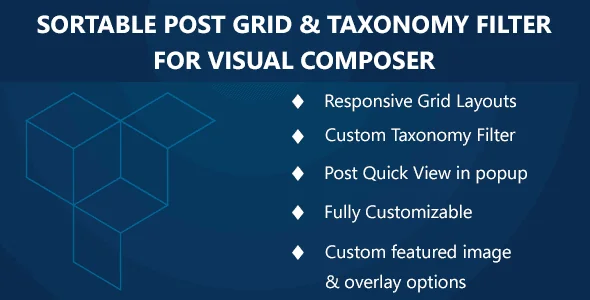
With the help of Sortable Grid & Taxonomy filter WordPress Plugin Free, you can easily convert your post types archive pages into nice looking sortable post grid with the ability for your users to change the grid layout as they want.
This add-on requires WPBakery 5.4.5 or higher to be installed and activated in order to get it working. Get it here.
Sortable Grid & Taxonomy filter WordPress Plugin Features
- Select source for displaying posts from either post types of categories.
- Unlimited possibilities
- Responsive grid
- Fully Customizable
- Display posts from a specific category
- Display / hide image overlay animation on hover
- Enable / disable content loading with ajax
- Change grid layout position to left and right.
- Change font size and font color of post title.
- Select grid layouts to display.
- Display pagination
- Manage which settings you want to display
- Enable / Disable ajax content loading
Recent releases
Release history
View changelog
- custom post types not being displayed in dropdown
- Checkbox filtering doesn't work well with ajax filters
- Console errors if no masonry layout is set
- Filters are being overlapped on site width if there are multiple
- styling issue for Template 03
Frequently asked questions
Is Sortable Grid & Taxonomy Filter GPL licensed?
What is the latest version of Sortable Grid & Taxonomy Filter?
How much does Sortable Grid & Taxonomy Filter cost on GPLCoffee?
Is Sortable Grid & Taxonomy Filter safe to download?
Auto-updates included
Install it once, update automatically.
The GPLC Connector installs this plugin from your wp-admin and rolls out new versions to your connected sites. Included with every membership plan: 10 to 40 connected sites depending on the plan (Lite 10, Pro 20, Geek and Lifetime 40).