
Product Sales Report Pro v2.2.53
Product Sales Report Pro for WooCommerce Quickly build effective sales reports for your WooCommerce store.
Related items
Related Woocommerce Plugins
WooCommerce Subscriptions - WordPress Plugin
by Prospress Inc
WooCommerce Subscriptions Plugin allows you to introduce a variety of subscriptions for physical or virtual products and services.
WooCommerce Smart Coupons - WordPress Plugin
by StoreApps
Enhance your coupon options - create gift certificates, store credit, coupons based on purchases and more.
WooCommerce Table Rate Shipping - WordPress Plugin
by WooCommerce
Advanced, flexible shipping. Define multiple shipping rates based on location, price, weight, shipping class or item count.
Product Sales Report Pro for WooCommerce Quickly build effective sales reports for your WooCommerce store. Get the metrics you need for better planning and smart decision making. Setup an unlimited number of reports, save them as templates, and access them with a click. Good reporting is essential for monitoring product sales performance, planning effective sales strategies, better sales forecasting, accurate accounting, inventory management, and maintaining or reducing your sales cycle.
Reporting Features and Benefits One-click generate and share – download your reports with a click or send them as an email to anyone Create presets – save your custom report settings and generate up-to-date reports faster Date range filtering – with presets or custom start and end dates Order status filtering – include or exclude pending payment, processing, on hold, completed, cancelled, refunded, and failed orders For specific user roles – including WordPress built-in roles, roles added by WooCommerce, and custom roles Orders from customers with a specific field Include specific products – based on product category, product ID, tags, and/or meta fields Grouping – bring additional reporting segments into the mix Sorting – choose the field you want the report sorted by and the order that it will display in Set fields to include – add, remove, and drag and drop ordering Format your report – title with dynamic fields, include a header and totals row, and file format options Advanced styling – style your HTML reports with custom CSS 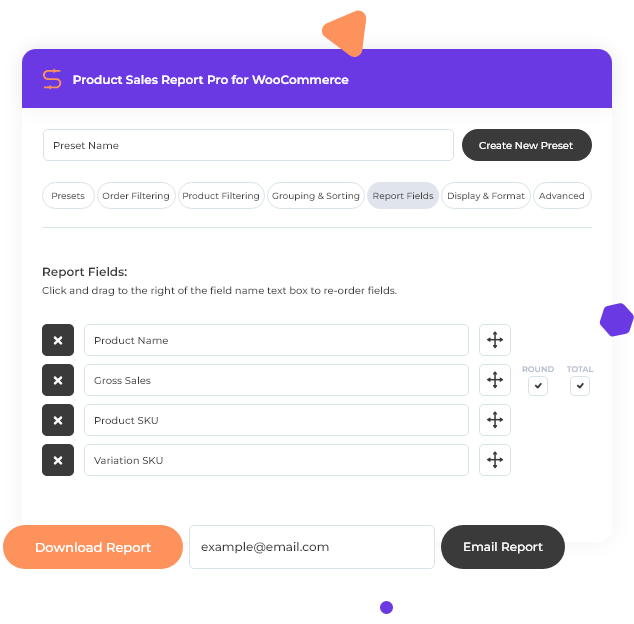 Download and Share with a Click After using the report builder to quickly create a custom report, click “Download Report” and your report will be generated and downloaded. Or send your report to any email address: enter the email address and click Email Report.
 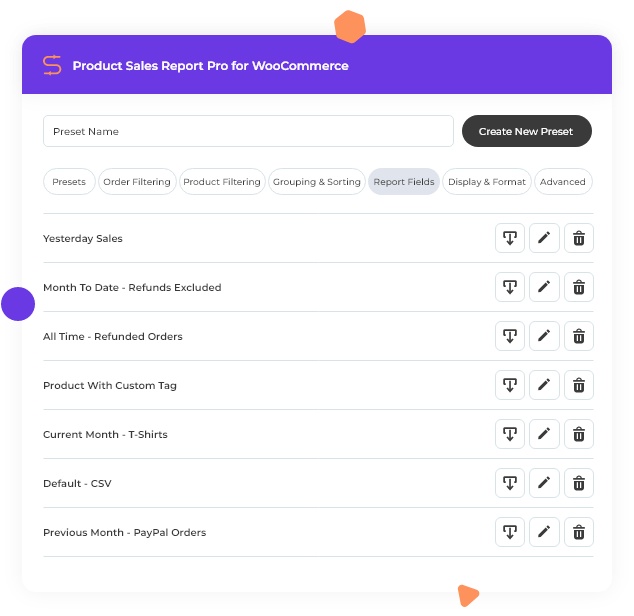 Create and Share Report Presets Setup your reports once and use them again and again. After you build your report, save it as a preset that can be used for comparative growth analysis and other sales trend insights.
 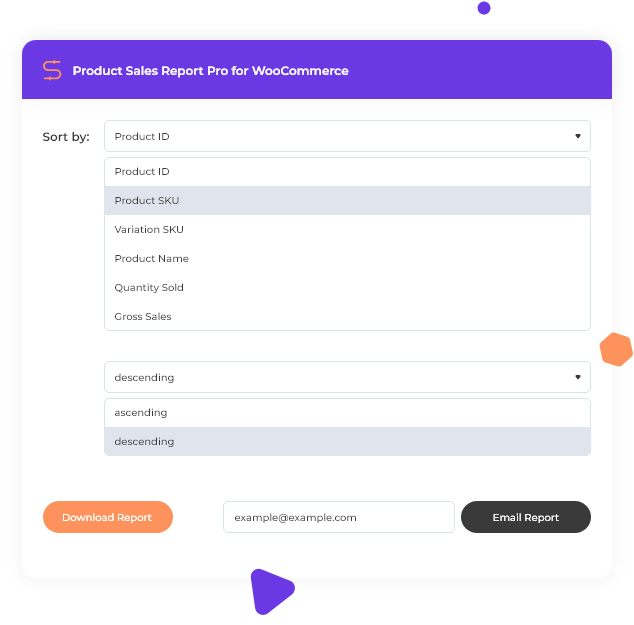 Granular Sorting For Zeroing In On What’s Important Product Sales Reports gives you granular control and powerful sorting options.
Show full descriptionShow less
See what products are performing best based on quantity or gross sales to help refine your online sales strategy. Sort by date range, order status, item, tags, category, fields, user type, grouping, SKU… you name it, we added it. 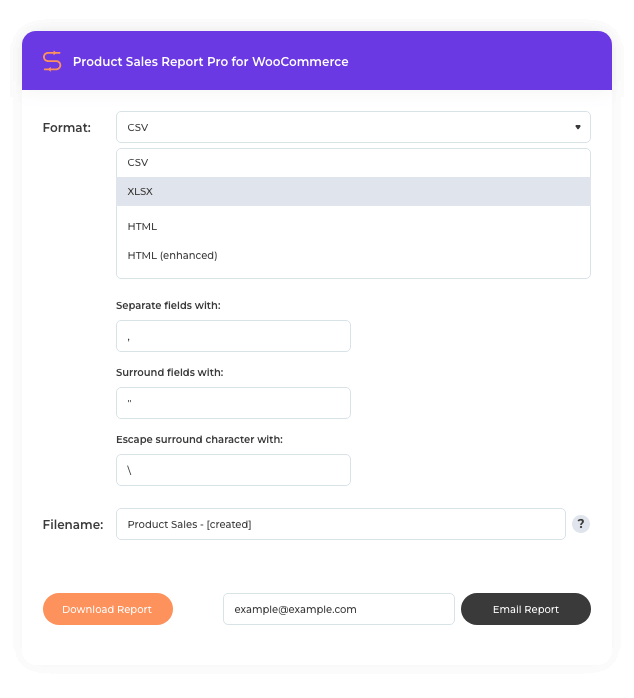 Downloadable Spreadsheet and Other Format Options Download your report with a click or send it as an email for further analysis in your favorite spreadsheet software, in CSV, XLSX, HTML, or Enhanced HTML format.
 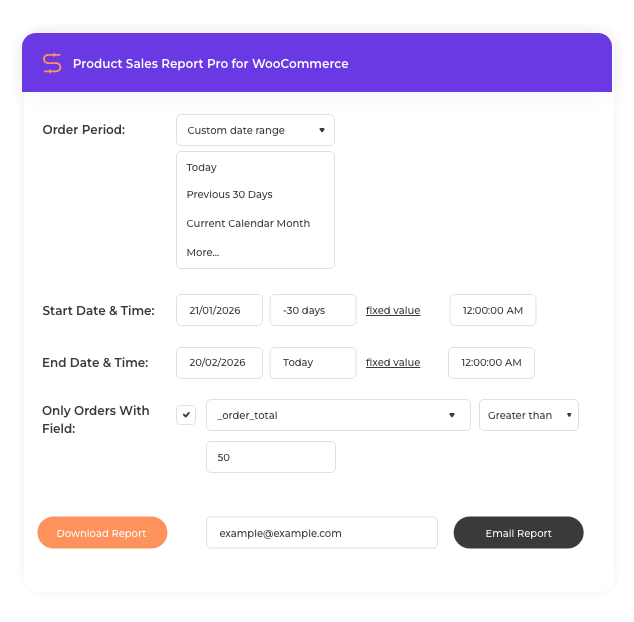 Conditional Logic and Dynamic Date Expressions Use default WordPress and WooCommerce fields as well as custom fields created by third-party plugins. Set conditional logic (equal to, not equal to, less than, greater than or equal to, between, does not exist) and dynamic date expressions.
 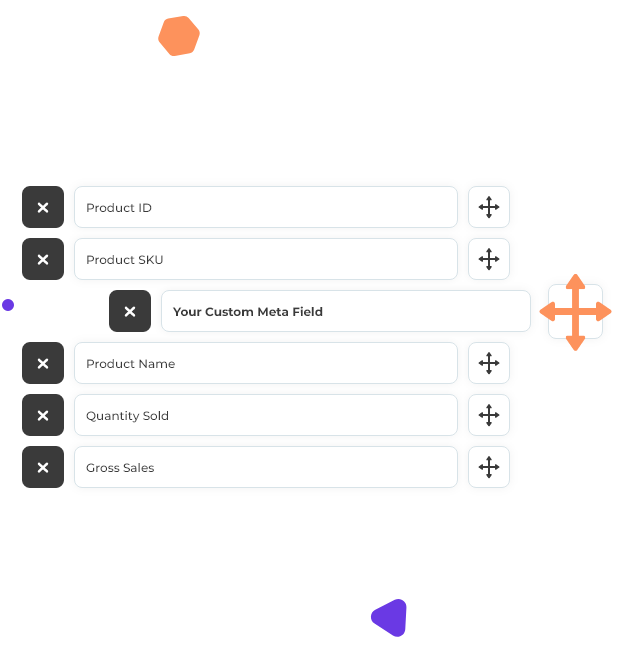 Reporting Fields Included Product IDProduct SKUProduct Name. Quantity Sold. Product CategoriesCurrent Product Price. Current Product Price (Incl.
Tax)Current Stock Quantity. Gross Amount Refunded (Excl. Tax)Gross Amount Refunded (Incl. Tax)Product Publish Date/Time. Variation IDVariation SKUVariation Attributes. Gross Sales. Gross Sales (After Discounts)Total Discount Amount. Taxes. Total Sales Including Tax. Quantity Refunded. Tax Refunded. Other custom meta fields 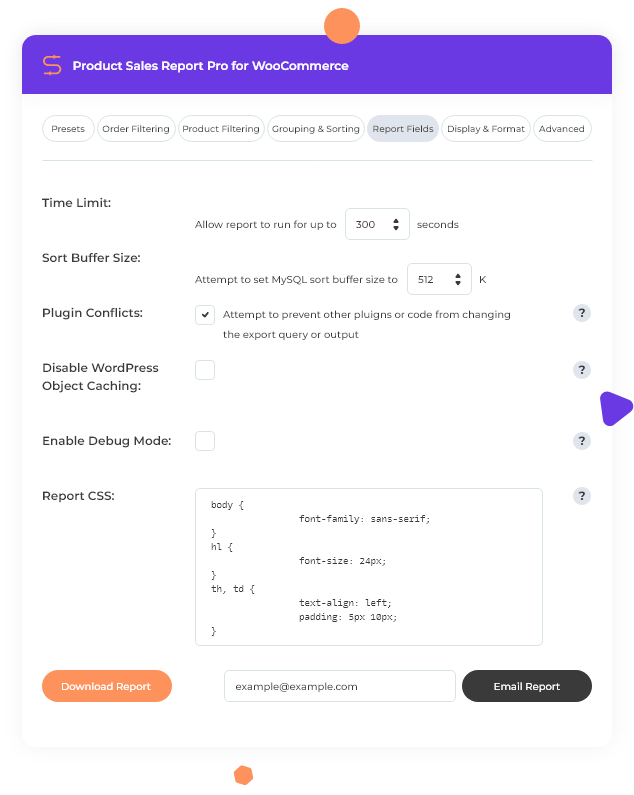 Developer Friendly and Flexible For large product catalogs, extend how long report generation can run without timing out.
Customize buffer size, prevent plugin conflicts, disable object caching, and debug mode. Plus, use the custom CSS field to customize the output styling of your HTML reports. Integration and Compatibility Looking to automate your reports, share them on the frontend of your site, or export details about an individual sale for order fulfillment? Check out these premium addons and standalone reporting solutions:  Scheduled Email Reports Email your reports as an attachment on a recurring schedule.
  Frontend Reports Embed a report or a download link in a post or a page.
  Export Order Items Pro Export order details for use in order fulfillment and data analysis (standalone plugin).
  Extra Product Options Addon Export Order Items Pro addon to support the WooCommerce Extra Product Options plugin.
Product Sales Report Pro and Ninjalytics - choosing the right solution Product Sales Report Pro continues to be supported for existing users. For new projects and advanced WooCommerce reporting, Ninjalytics provides a modern, flexible solution with charts, calculated fields, and deeper insights. Existing Product Sales Report Pro customers If you already purchased Product Sales Report Pro from WP Zone, nothing changes for you.
To access your plugin on BerryPress: Create a new account using the same email address as your WP Zone account The order will be automatically assigned to your BerryPress account You will then be able to download the plugin directly from BerryPress Review the FAQ. View documentation Looking for more advanced reporting? While Product Sales Report Pro remains available for existing users, our ongoing development efforts are focused on Ninjalytics for WooCommerce, which offers a more modern reporting experience and continued feature expansion.
When you are ready, you are welcome to switch, and our support team can assist you with the transition. Ninjalytics delivers: More intuitive UI, charts, and a streamlined report builder. Import existing Product Sales Report Pro presets and continue where you left off. Includes all the features of Product Sales Report Pro - and more! Learn more about Ninjalytics
Recent releases
Release history
View changelog
- Shipping reporting may not be accurate in HPOS mode
Frequently asked questions
Is Product Sales Report Pro GPL licensed?
What is the latest version of Product Sales Report Pro?
How much does Product Sales Report Pro cost on GPLCoffee?
Is Product Sales Report Pro safe to download?
Auto-updates included
Install it once, update automatically.
The GPLC Connector installs this plugin from your wp-admin and rolls out new versions to your connected sites. Included with every membership plan: 10 to 40 connected sites depending on the plan (Lite 10, Pro 20, Geek and Lifetime 40).