
AffiliateWP Affiliate Forms For Ninja Forms v1.2.3
Affiliate Forms For Ninja Forms makes it exceptionally easy to create an affiliate registration form using the flexibility of the the free Ninja Forms plugin.
Same brand
More from AffiliateWP
AffiliateWP - Affiliate Marketing Plugin For WordPress
by Paul Jarvis
Easy affiliate marketing for WordPress that works
AffiliateWP Multi-Tier Commissions
by Andrew Munro
Enable rewards across multiple tiers of affiliate referrals, leveraging MLM strategies within your program
AffiliateWP Vanity Coupon Codes
by Andrew Munro
Allow affiliates to request a custom name for any of their coupons.
Related items
Related Affiliatewp Plugins
Payout Statements For AffiliateWP
by KryptoniteWP
Printable payout statements (invoices) for affiliates and shop owners
AffiliateWP - Advanced Payouts
by KryptoniteWP
Advanced Payouts extends AffiliateWP , the best affiliate marketing plugin for WordPress, with new functionality.
AffiliateWP - Affiliate QR Codes Addon
by Andrew Munro
Enables affiliates to generate, save, print, and share QR codes from their affiliate URLs.
Affiliate Forms For Ninja Forms makes it exceptionally easy to create an affiliate registration form using the flexibility of the the free Ninja Forms plugin. Add any field to your affiliate registration form 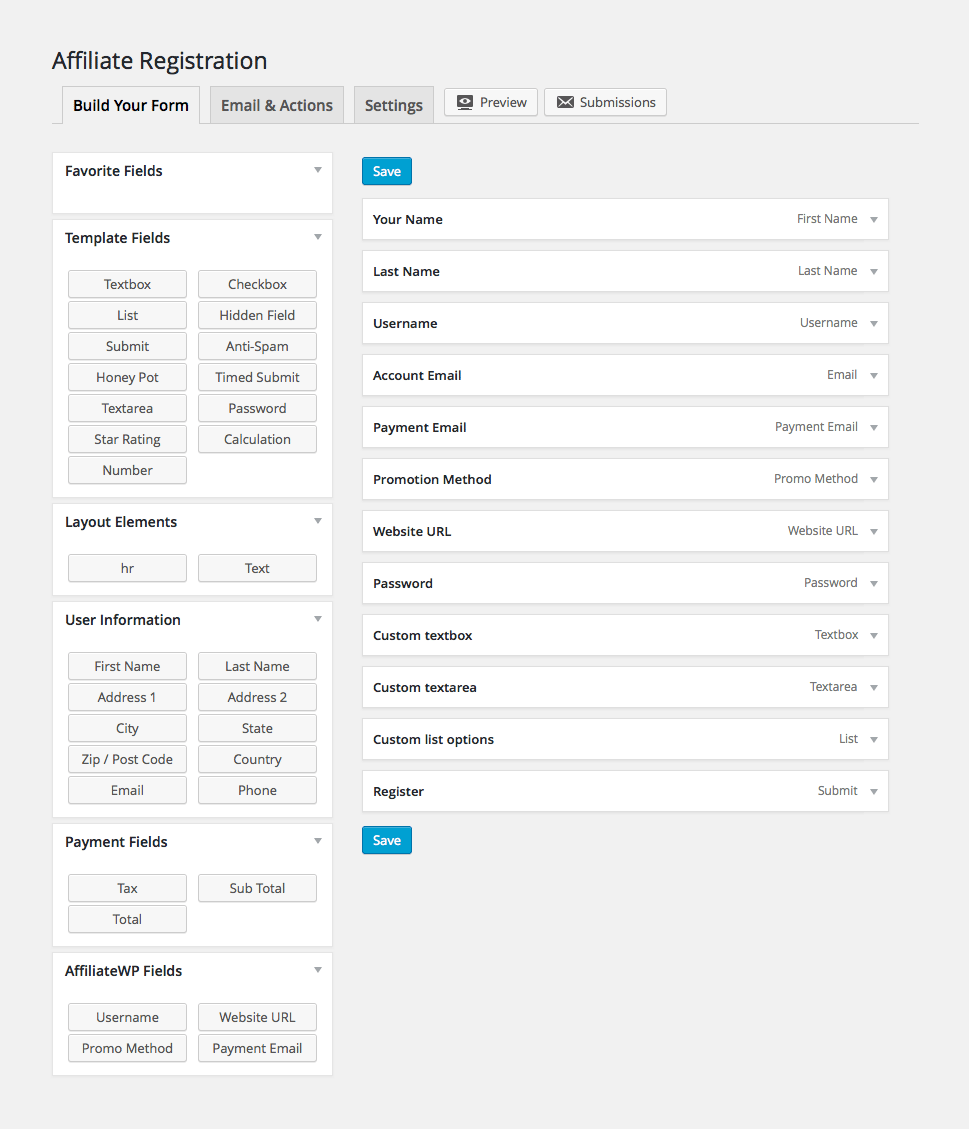 Use any of the default fields provided by Ninja Forms, or the four new field types we’ve added (see bottom left of image) to create your affiliate registration form. As you’d expect, you can drag and drop fields to re-order, make fields required, and label them however you’d like.
Create a simple affiliate registration form 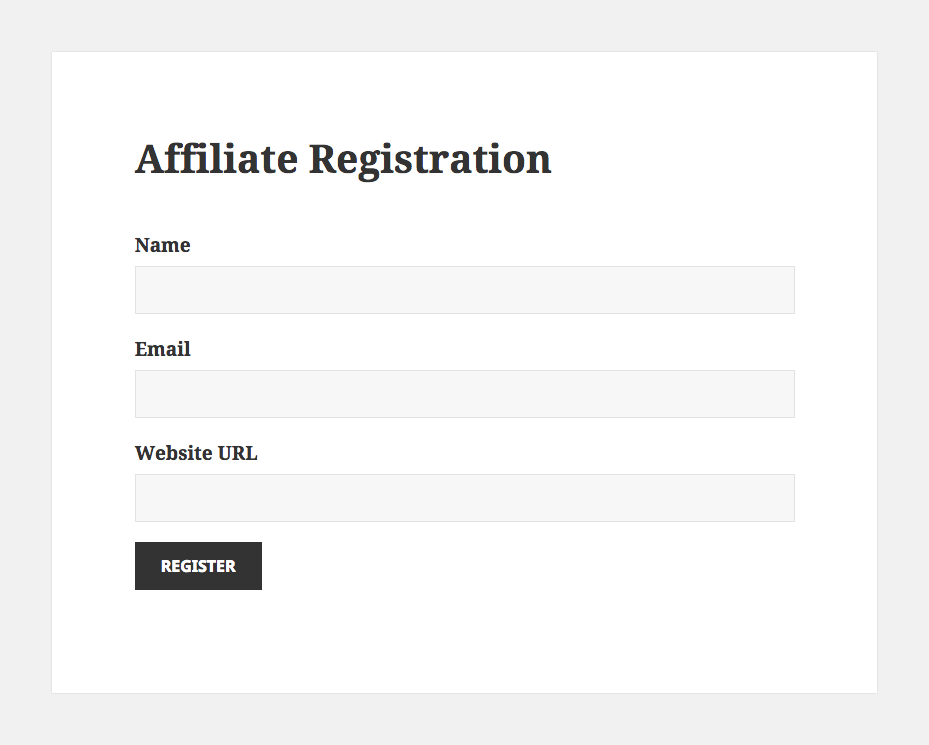 Only the email field is required to create your affiliate registration form. If no username field is added, the affiliate’s WordPress username is automatically created from their email address. If no password field is added, a password is automatically generated for the affiliate. Create an advanced affiliate registration form
 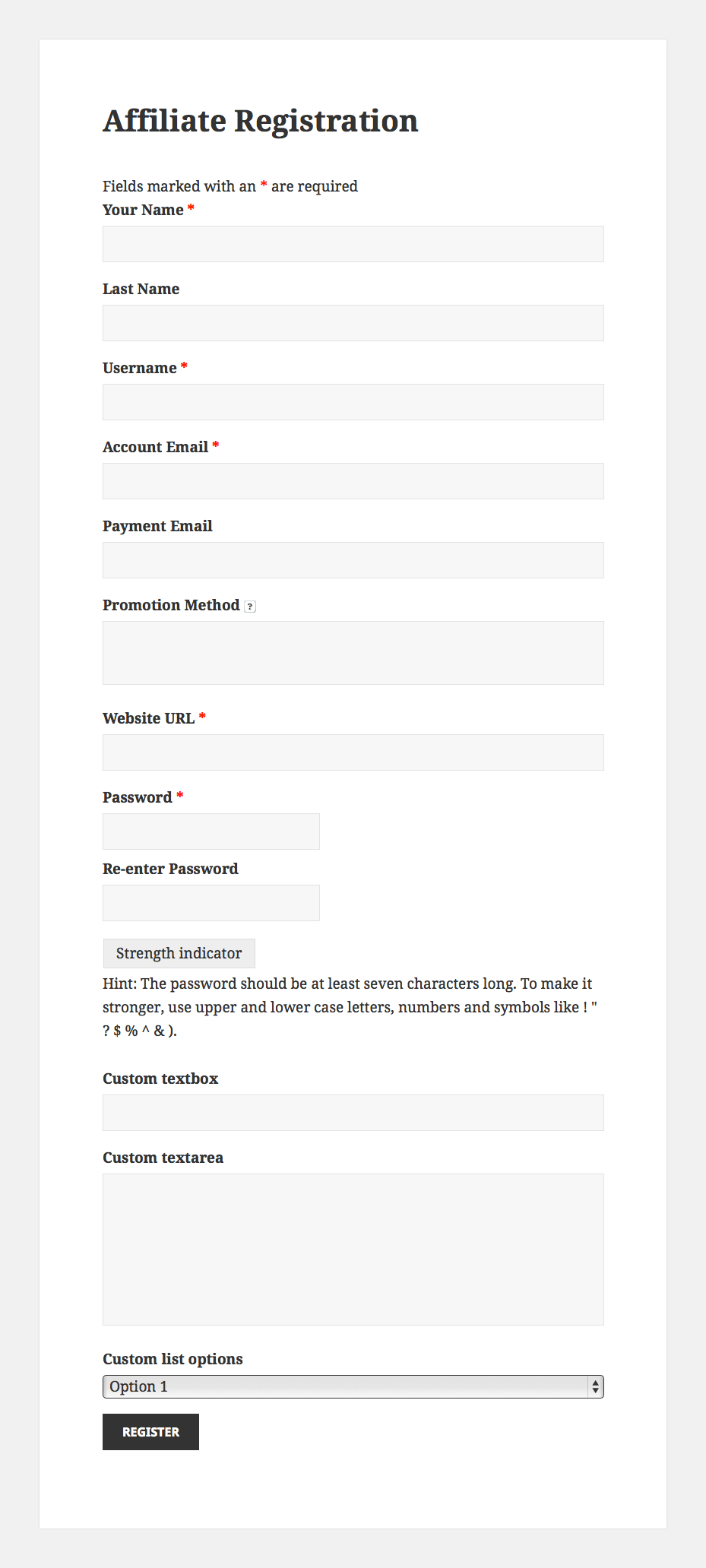 Create custom email tags for AffiliateWP emails
 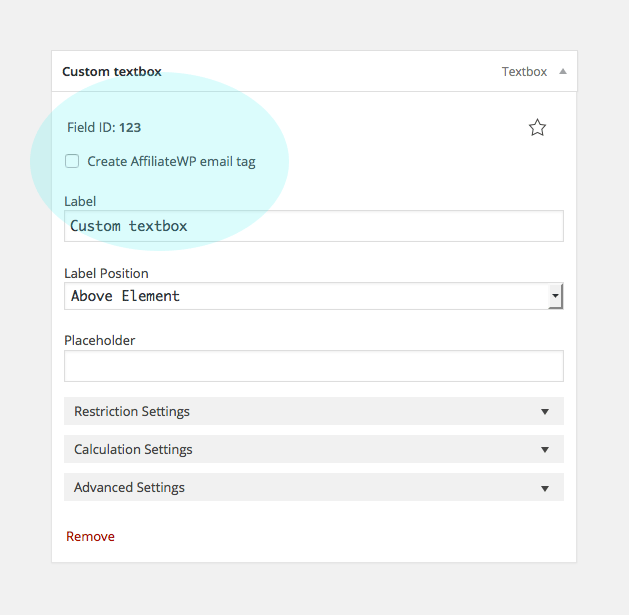 By simply enabling a checkbox on a field, a new email tag will automatically be created which you can use in any of AffiliateWP’s emails.
See form submission data on the review affiliate screen 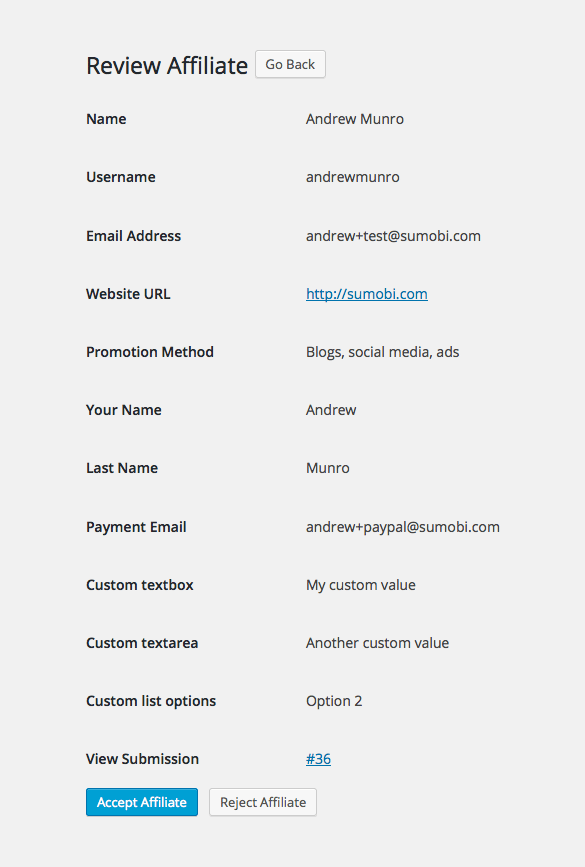 If you require affiliate approval, everything that the affiliate has submitted will be shown to you when reviewing their application (requires AffiliateWP v1.6.2). View an affiliate’s registration submission at any time
  Once an affiliate has registered, their original submission can be viewed at any time from the Affiliates → Edit Affiliate screen. Use any of the available Ninja Forms add-ons Take advantage of the many add-ons available for Ninja Forms.
Here’s just some of the things you could do: Send your affiliates to a mailing list at registration. Requires one of the mailing list add-ons. Receive slack notifications when affiliates register. Requires the slack add-on. Send the submitted data to any external URL using a GET or POST request. Requires the webhooks add-on. Show or hide fields, change field values, or send specific notifications all based upon user input.
Requires the the conditional logic add-on. Have affiliates upload a file. Requires the File Upload add-on. Get push notifications when an affiliate registers. Requires the Pushover add-on. Create PDFs from your affiliate registrations. Requires the PDF Form Submission add-on.
Recent releases
Release history
Frequently asked questions
Is Affiliatewp – Affiliate Forms For Ninja Forms GPL licensed?
What is the latest version of Affiliatewp – Affiliate Forms For Ninja Forms?
How much does Affiliatewp – Affiliate Forms For Ninja Forms cost on GPLCoffee?
Is Affiliatewp – Affiliate Forms For Ninja Forms safe to download?
Auto-updates included
Install it once, update automatically.
The GPLC Connector installs this plugin from your wp-admin and rolls out new versions to your connected sites. Included with every membership plan: 10 to 40 connected sites depending on the plan (Lite 10, Pro 20, Geek and Lifetime 40).